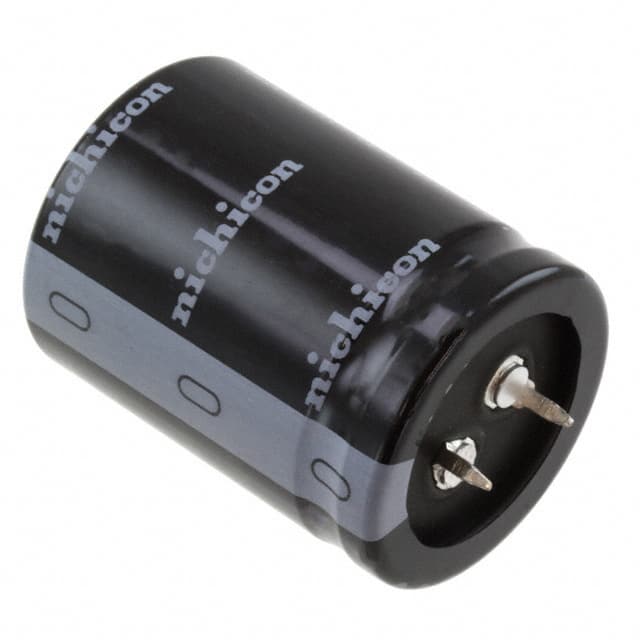
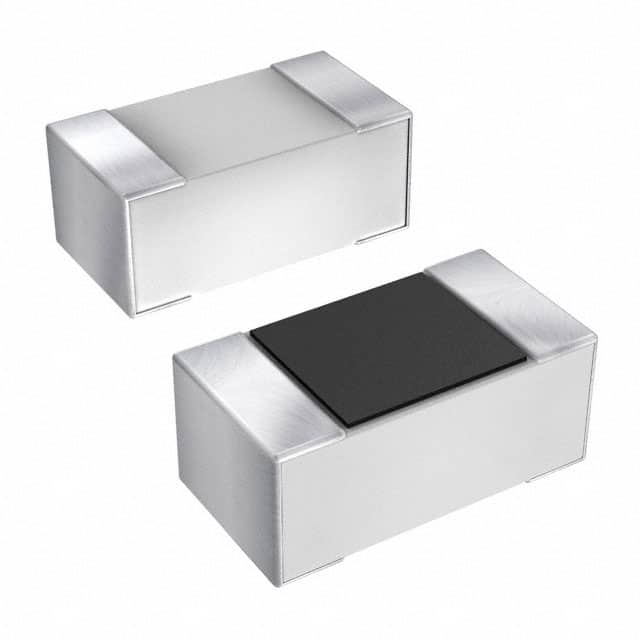
Capacitors may be small, yet they shoulder big responsibilities: smoothing noisy power rails, kick‑starting motors, filtering audio hiss, and keeping microcontrollers stable. When one ages or fails, it seldom produces dramatic smoke; instead, it whispers faults—random resets, humming speakers, or power supplies that wake up only after a hard smack.
Testing, therefore, isn’t a formality—it’s detective work. In the next few minutes, you’ll learn not only how to test a capacitor but why each method matters, which readings are trustworthy, and what those numbers reveal about the part’s internal health.
Why You Need to Test a Capacitor
Capacitors fail in three sneaky ways:
Loss of capacitance — the device can no longer store the charge it promises, starving the circuit of energy when it’s needed most.
Internal shorts or opens — the dielectric breaks down and conducts like a wire, or it cracks and stops conducting at all.
Rising ESR- Equivalent Series Resistance — resistance sneaks inside, turning a once‑efficient energy tank into a leaky, heat‑soaked bucket.
Because each fault can masquerade as a flaky IC or a loose connector, a quick capacitor test often saves hours of head‑scratching.

Safety First – Discharge Before You Touch
Even a thumbnail‑sized electrolytic can retain dozens of volts long after the power switch clicks off. Touch it unprepared and you might fry your meter—or remind yourself why coffee isn’t the strongest jolt in the lab.
How to Discharge Safely —and Why It Works
A charged capacitor pushes current into anything that completes the circuit. By giving that energy a safe path, you protect both yourself and your tools.
Bleeder resistor method: Clip a 10 kΩ, 2 W resistor across the leads for 5–10 s. The resistor converts the stored energy to a harmless trickle of heat.
Last‑resort shorting: If no resistor is handy, bridge the terminals with an insulated screwdriver. Expect a pop and a tiny spark; keep fingers clear.
Verify with your meter: Set the meter to DC‑voltage mode and confirm the capacitor now sits near 0 V.
Tip: Treat every capacitor as charged until you prove it’s empty.
How to Test a Capacitor with a Digital Multimeter
A digital multimeter is often your first and most versatile tool when diagnosing capacitor health. It doesn’t just provide a value—it gives you behavior to observe and interpret. Each mode—capacitance, resistance, continuity, and voltage—offers a unique lens. Let’s walk through how to use each one effectively and when it shines.
Capacitance Mode — The Straight Answer
To find out whether a capacitor still holds its rated capacity, nothing beats a direct measurement. This is the go-to test for large electrolytics or any component where you suspect value drift.

Here’s how to measure it:
- Turn your multimeter’s dial to the capacitance mode (marked with –|(–).
- Plug the red probe into the dedicated capacitance port (if available), and the black into COM.
- Use the REL or ZERO button if your meter supports it—this cancels stray lead capacitance.
- Connect the probes to the capacitor terminals (observe polarity if it’s polarized).
- Wait a few seconds for the value to settle.
- Compare the result to the rated value on the capacitor’s label.
| Reading vs. Label | What It Means |
|---|---|
| Within ±20 % | ✅ Healthy |
| Noticeably low | ⚠️ Degraded |
| 0 µF or “OL” | ❌ Short or open |
Resistance (Ohmmeter) Mode — Watch It Charge
This mode isn’t about measuring real resistance; it’s about watching the capacitor’s charge-up behavior in real time. Think of it like watching someone inhale—you’re looking for motion.

Try this:
Set the meter to a high resistance range, like 10 kΩ.
Connect the probes to the capacitor (red to + if polarized).
Observe the initial reading—then see if it rises slowly toward OL (over limit).
| Resistance Behavior | Diagnosis |
|---|---|
| Low → rising to OL | ✅ Charging normally |
| Constant 0 Ω | ❌ Shorted inside |
| Instant OL, no rise | ❌ Open or broken |
Continuity Mode — Fast Fault Finder
Continuity mode sends a small current and beeps if it flows freely. For capacitors, it’s a crude but quick way to detect shorts.
Use it like this:
Set the meter to continuity mode (usually a speaker symbol).
Touch probes to the capacitor.
Listen: a brief beep that fades suggests charging; a continuous beep implies a short.

| Sound Response | Interpretation |
|---|---|
| Quick beep then stop | ✅ Charges properly |
| Continuous beep | ❌ Short circuit |
| No sound | ⚠️ Possibly open |
Voltage Mode — Charge and See
Sometimes the question isn’t “what’s the value” but “can it hold a charge?” A voltage check answers that—especially good for suspecting leakage.
Follow these steps:
- Use a known, safe voltage source (e.g., 12 V for a 25 V cap) to charge the capacitor.
- Remove the source and quickly measure the voltage with your meter.
- Wait several minutes.
- Measure the voltage again to see how much it has dropped.

| Voltage Drop Over Time | Interpretation |
|---|---|
| Minimal drop | ✅ Holds charge well |
| Moderate drop | ⚠️ Leaky dielectric |
| Rapid drain | ❌ Bad capacitor |
How to Test a Capacitor with an Analog Multimeter
Analog multimeters may seem old-school, but they shine when it comes to visualizing capacitor behavior. Instead of reading a number, you watch the needle respond in real time—giving you insight into how the capacitor charges and discharges.
Using the Ohmmeter Function to Test Charging Behavior
This method doesn't directly measure capacitance—it observes how the capacitor reacts to a small current. A healthy capacitor resists sudden current and slowly charges, which causes the meter's needle to sweep across the scale and return.
Here’s how to do it:
- Fully discharge the capacitor.
- Set the analog multimeter to a resistance range like ×1k or ×10k.
- Connect the black probe to the negative terminal and the red probe to the positive terminal (for polarized capacitors).
- Observe the needle:
- If the capacitor is good, the needle will swing quickly toward zero ohms, then gradually return toward infinity.
- If the needle moves to zero and stays there, the capacitor is shorted.
- If it doesn’t move at all, the capacitor is likely open.

| Needle Behavior | Interpretation |
|---|---|
| Deflects then slowly returns | ✅ Charges correctly |
| Sticks near 0 Ω | ❌ Shorted internally |
| No movement | ❌ Open or faulty |
Reverse the probe polarity and repeat the test—electrolytics may respond differently depending on orientation, but a healthy part should still show a dynamic reaction either way.
How to Use an ESR Meter to Test Capacitors In‑Circuit
Capacitance tells you if a capacitor can store charge. ESR tells you if it can deliver it efficiently. That’s why ESR matters—especially in high-speed or high-ripple circuits like switch-mode power supplies.
What ESR Is
ESR, or Equivalent Series Resistance, is the tiny internal resistance that turns AC ripple into heat. As ESR creeps up with age, capacitors run hot, power supplies hum, and audio amplifiers hiss or clip. Crucially, capacitance can remain in spec even while ESR skyrockets, so a multimeter alone may give a clean bill of health to a dying part.
Let’s go through the process:
- Keep the capacitor soldered to the board—no need to remove it.
- Connect the ESR meter probes to the capacitor legs (no need to observe polarity unless your meter specifies).
- Take note of the value on-screen.
- Compare it against expected ESR ranges for that cap type and rating.

| Cap Specs | Good ESR | Caution | Bad ESR |
|---|---|---|---|
| 100 µF / 35 V | < 0.4 Ω | 0.4–1.5 Ω | > 1.5 Ω |
| 10 µF / 25 V | < 1.5 Ω | 1.5–5 Ω | > 5 Ω |
Why this works: ESR meters use a low test voltage (usually below 200 mV), so they won’t turn on nearby semiconductors—making them perfect for in-circuit diagnosis without removing parts.
How to Know If a Capacitor Is Bad
Sometimes, a single test doesn’t give the full picture. A capacitor might pass the capacitance check but fail miserably under voltage retention or ESR. That’s why professionals don’t rely on just one test—they look for patterns across multiple methods.
The best way to decide if a capacitor is truly faulty is to cross-reference your results:
| Test Method | Healthy Behavior | Fault Indicator |
|---|---|---|
| Capacitance | Matches label within tolerance | Reading far below spec or “OL” |
| Resistance | Ramps up toward OL | Stuck at 0 Ω or instant OL |
| Continuity | Brief beep then stop | Constant beep or silence |
| Voltage Retention | Holds charge for minutes | Voltage drops rapidly |
| ESR | Low & within reference | Excessively high ESR |
If two or more test results are questionable—or if a single critical test (like ESR) fails—the capacitor is no longer trustworthy.
Think of capacitor testing like a medical checkup: one slightly off result might not be fatal, but multiple failures tell you it’s time for a replacement.
Common Testing Mistakes
Skipping the discharge step: Leads to sparks, blown meter fuses, and colourful language.
Ignoring polarity: Reverse‑biasing an electrolytic while charging or testing can destroy it on the spot.
Trusting capacitance alone: A 100 µF cap with 3 Ω ESR looks fine on paper yet behaves like a resistor at high frequency.
Testing in‑circuit without ESR insight: Neighbouring components confuse multimeter readings; use an ESR meter or desolder.
Conclusion
A multimeter gives fast, broad answers; an ESR meter digs up subtler clues. Combine both, and a capacitor’s secrets come into sharp focus. Next time a circuit throws a tantrum, interrogate the capacitors first—you’ll often solve the case in minutes instead of hours.
Ready to put this into practice? Pull a suspect board from your “someday” pile, follow these steps, and share your findings—we’re all ears for your success (or war‑story) in the comments.