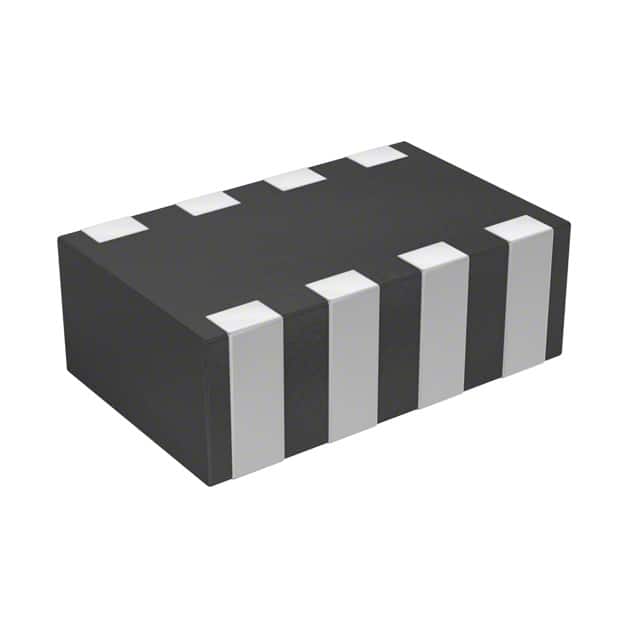
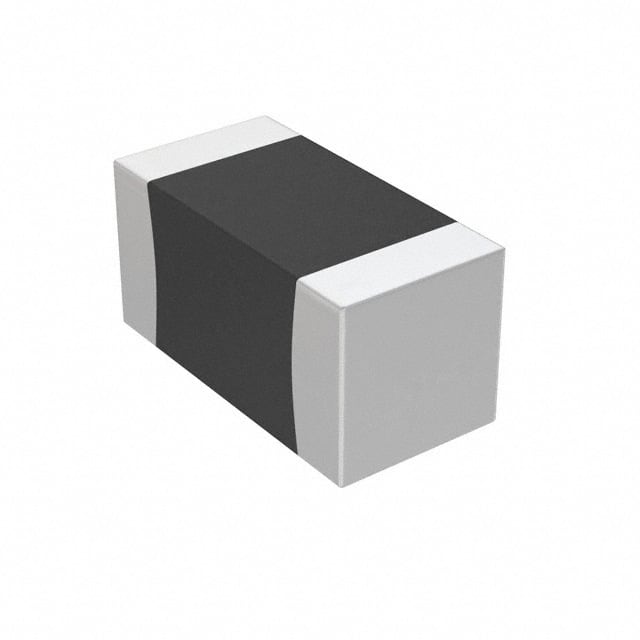
Capacitors are essential components in electronic circuits. They store energy in the form of an electric field between two conductive plates separated by a dielectric material. When charged, they behave like temporary batteries—retaining that energy until needed. This ability makes them vital in filtering, timing, and voltage regulation tasks.
Yet, this very feature introduces a silent threat. Capacitors can retain dangerously high voltages long after power is removed:
- Electric Shock: A charged capacitor can deliver anything from a minor zap to a potentially fatal jolt.
- Component Damage: Sudden discharges may burn out sensitive components like ICs and transistors.
- Fire/Explosion Hazards: Improper shorting can lead to sparks, arc flash, or even catastrophic failure.
A lesser-known danger is dielectric absorption—a memory effect causing capacitors especially electrolytic and film types to spontaneously regain voltage after discharge. It demands rechecking with a multimeter and possibly multiple discharge attempts.
Not all capacitors are equally dangerous. Their risk varies with capacitance and voltage. Discharge methods must reflect these differences, and shortcuts like using metal screwdrivers on high-voltage capacitors can have disastrous consequences. This article guides you through safe, appropriate methods for every situation.
What You’ll Need to Safely Discharge a Capacitor
Before starting, gather the following tools:
- Resistors: 1kΩ to 1MΩ higher R for high-voltage caps, rated for 2–5W or more
- Insulated alligator clips
- Multimeter for voltage checks
- Insulated gloves and safety glasses
- Discharge probes for CRTs and other high-voltage equipment
Avoid using bare tools like screwdrivers for anything above 50V—dangerous sparks or physical damage can occur.
How to Discharge a Capacitor Step by Step General Method

This method suits most low- to medium-voltage capacitors under 450V:
Disconnect Power: Unplug the device or shut off breakers.
Initial Wait: Wait 1–5 minutes to allow internal bleed resistors if any to act.
Measure Voltage: Use a multimeter set above the cap’s rated voltage.
Discharge: Connect a resistor across the terminals for 10–30 seconds.
Verify: Check again with the multimeter. Repeat if necessary.
How to Discharge a Capacitor on a Circuit Board Low Voltage
Circuit boards are full of small electrolytic or ceramic capacitors operating at 5V to 50V. These might seem harmless, but they can still retain enough charge to damage sensitive components like ICs—or cause a noticeable zap to an unwary finger.
Common applications: TVs, routers, power supplies, audio equipment.
Step-by-step:
Identify the capacitor — Look for cylindrical shapes with clear polarity markings. Always assume it's charged.
Prepare the resistor — A 1kΩ–10kΩ, 0.5W–2W resistor is ideal.
Connect using alligator clips — Attach one end of the resistor to each capacitor leg.
Wait at least 10–30 seconds — This allows a safe, controlled discharge.
Measure with a multimeter — Confirm voltage is near 0V. If not, repeat.

Tips:
- Wear antistatic protection to avoid ESD damage.
- Avoid touching the board while discharging.
- Never assume a board is safe just because the device is unplugged.
How to Discharge an AC Start Capacitor Safely
AC start capacitors store significant energy and often operate between 250V and 450V. They're found in HVAC systems, compressors, and some power tools. These capacitors can deliver a painful or dangerous shock if not properly discharged.
Step-by-step:
Turn off power at the breaker — Confirm the appliance is fully disconnected.
Identify the capacitor — Usually a metal or plastic cylindrical can marked with μF and voltage ratings.
Use a 10kΩ, 2W resistor — Connect across the terminals using insulated alligator clips.
Hold the connection for at least 30 seconds — Longer if you're unsure of the capacitor size.
Measure voltage with a multimeter — Ensure it's below 1V before touching.

Important safety notes:
- Some capacitors have internal discharge resistors—but don’t rely on them.
- Avoid using a screwdriver or metal to short the terminals—this can result in sparks or damage.
- Always wear gloves and safety glasses.
How to Discharge a High-Voltage Capacitor
CRT displays can store up to 25,000 volts—enough to seriously injure or kill. These devices contain large capacitors connected to the anode (under the suction-cup-like connector).
Extreme caution is required. If you're not trained, do not attempt this.
Tools Needed:
- High-voltage CRT discharge probe
- Heavy insulated gloves
- Flat-head screwdriver with insulated shaft only as part of the probe
Step-by-step:
Unplug the CRT and wait 5+ minutes
Attach probe ground clip to the CRT chassis
Slide the discharge tip under the anode cap
Hold for several seconds — You may hear a “pop” or see a spark.
Repeat once or twice — Wait a few minutes and test again.

Dielectric absorption can cause the voltage to rebuild. Recheck after 15–30 minutes.
How to Discharge a Flash Capacitor in Photography Equipment
Flash capacitors are found in speedlights and strobes, where they briefly store 300V–330V to power intense light bursts. Their compact size masks the danger—they can deliver a painful shock or damage circuitry if not properly discharged.
Step-by-step:
Remove batteries and wait 1–2 minutes
Try firing the flash — This often drains most of the charge.
Use a 1kΩ, 5W resistor across the terminals — Connect with insulated clips.
Wait 30 seconds and measure with a multimeter.
Repeat discharge if needed.

Tips:
- Don’t short with a screwdriver—damage or burn marks are common.
- Avoid touching surrounding circuitry.
- Discharge before any internal repair or battery replacement if the unit has been recently powered.
How to Discharge a Supercapacitor Electric Double-Layer Capacitor
Supercapacitors bridge the gap between traditional capacitors and batteries, storing significantly more energy and delivering massive currents with ultra-low internal resistance (ESR). While they may operate at low voltages, their current delivery capability poses unique dangers.
Characteristics:
- Voltage range: 2.7V–5.5V (single cell), often stacked
- Extremely low ESR: High inrush or discharge currents
- Applications: Backup power, regenerative braking, industrial modules
Discharge Guidelines:
- Use current-limiting resistor: Choose a low-value resistor (e.g., 1Ω–10Ω) rated for high wattage.
- Avoid shorting: Instant discharges can overheat traces or damage the capacitor.
- Balance resistors: If supercapacitors are in series, use identical resistors across each unit to ensure even discharge.
- Recheck voltage: Self-discharge may be slow, but dielectric relaxation can cause charge rebound.

While reverse voltage tolerance is usually low, some supercapacitors are polar. Never connect in reverse.
Common Mistakes When Discharging Capacitors And How to Avoid Them
- Screwdriver shorting: Sparks, welding, component damage
- Skipping voltage check: Dangerous voltages may remain
- Underrated resistor: Can overheat and fail
- Ignoring dielectric absorption: Repeat discharge may be necessary
Best practice: Always use a multimeter before and after any discharge.
Discharging Different Capacitor Types
Understanding how various capacitor types behave helps you apply safe discharge techniques.
| Capacitor Type | Polarity | Voltage Range | Memory Effect | Discharge Recommendation |
|---|---|---|---|---|
| Electrolytic | Yes | 6V–450V | High (10–15%) | Resistor (10–30s), recheck |
| Film (polyester, PP) | No | 50V–2kV | Low (<1%) | High-ohm resistor, verify once |
| Ceramic | No | 5V–1kV | Negligible | Minimal need, verify if unsure |
| Supercapacitor | Yes | 2.7V–5.5V | High current risk | Use low-ohm, high-watt resistor |
Always double-check capacitor labels for voltage and polarity before applying discharge techniques.
Selecting the Right Discharge Resistor
Picking the correct resistor is key to a safe and controlled discharge.
Key Formulas:
- Energy stored: E = 0.5 × C × V²
- RC time constant: τ = R × C
- Peak power: P_peak = V² / R
- Average power: P_avg = V² / (10 × R)
Guidelines:
- Use 1kΩ–10kΩ for general use, 10kΩ–1MΩ for high-voltage caps
- Power rating: 2W–5W is typical; higher for large energy storage
A 100μF, 400V cap stores 8 joules (0.5 × 100e-6 × 400²)
Discharging with 10kΩ means τ = 1 second → Wait at least 5τ = 5 seconds
Resistor must handle P_peak = 400² / 10000 = 16W. Use a 20W resistor.
Conclusion
Discharging a capacitor is about respecting stored energy. From circuit boards to high-voltage CRTs and microwaves, every capacitor demands a different level of care. The method matters—your tools matter—and verification is not optional.
Save this guide, share it with your team, and make safe discharge a habit—not a gamble.